AI Presentation Maker: Create Professional Presentations in Minutes, Not Hours

Here’s a scenario that plays out constantly with solopreneurs.
You need to create a pitch deck for a potential client meeting tomorrow. You open PowerPoint or Google Slides. You stare at the blank canvas for 20 minutes. You try a template, but it looks generic and doesn’t match your brand. You spend three hours fiddling with layouts, fonts, and image placement. By the time you’re done, it looks… okay. Not great, just okay.
Meanwhile, you could’ve spent those three hours actually preparing what you’re going to say, researching the client, or doing literally anything else productive.
That’s where an AI presentation maker changes the game completely. What used to take three hours now takes 15 minutes. You describe what you need, the AI generates a complete deck, and you spend your time refining the message instead of fighting with design tools.
This isn’t about making you lazier. It’s about freeing you from the design work you’re not trained for so you can focus on the strategic thinking and content that actually matters.
Whether you’re creating sales pitches, client proposals, course materials, or investor decks, AI presentation tools handle the visual heavy lifting while you focus on your message.
Before you dive into tools, get the simple visibility system that helps solopreneurs show up consistently without burning out.
I created The Visibility Engine – a free guide with five tools that help you grow your presence without adding more to your plate.
👇 Enter your email below to get it sent to you.
It’s short, practical, and helps you create consistency without overwhelm.
Let’s break down why these tools matter, which ones actually deliver results, and how to create presentations that look professional without spending hours in design software.
Why AI Presentation Makers Matter for Solopreneurs
Most solopreneurs aren’t designers. That’s not a criticism. It’s reality. You got into business to solve problems, serve clients, or build products. Not to become a PowerPoint expert.
But presentations matter. A lot.
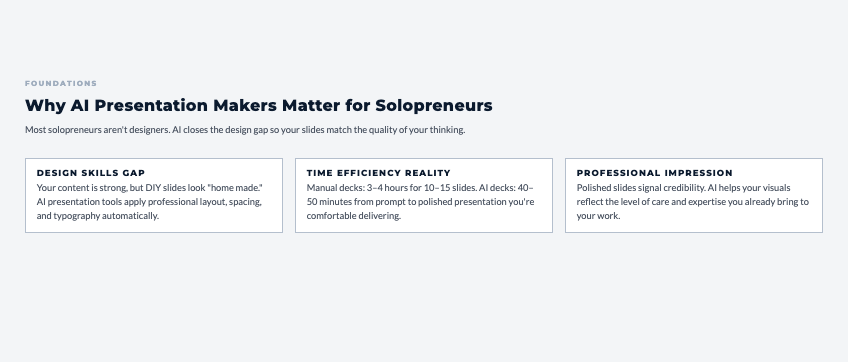
The Design Skills Gap
What typically happens: You know your content is solid. You understand your topic better than anyone. But when you try to present it visually, something gets lost. The slides look amateurish. The layouts feel off. The whole thing screams “I made this myself with no design training.”
And that perception affects how people receive your message. Fair or not, presentation quality influences credibility. A polished deck makes you look more professional, more established, more trustworthy.
AI presentation makers bridge this gap. You don’t need to develop design skills. You just need to know what you want to say.
Time Efficiency Reality
Let’s run the actual numbers on manual presentation creation:
- Finding and customizing a template: 30-45 minutes
- Creating initial slide structure: 45-60 minutes
- Adding content and adjusting layouts: 60-90 minutes
- Finding and inserting images: 30-45 minutes
- Formatting consistency fixes: 30-45 minutes
Total: 3-4 hours for a basic 10-15 slide deck.
With AI presentation makers:
- Describe what you need: 5 minutes
- AI generates complete deck: 2-3 minutes
- Review and customize: 30-45 minutes
Total: 40-50 minutes for the same result. That’s 75-85% time savings.
For a solopreneur, that’s the difference between creating presentations being a dreaded all-day project versus something you can knock out between client calls.
If this is opening up space in your week, the Visibility Engine will help you use that space to stay consistently visible.
You can get the framework here → Access The Visibility Engine
Professional Impression Importance
Your presentation represents you before you even start talking. If it looks amateur, people unconsciously downgrade their perception of your expertise.
This shows up in real business outcomes:
- Sales prospects judge your professionalism
- Clients assess your attention to detail
- Investors evaluate your preparedness
- Students question your credibility
AI tools ensure your visual presentation matches the quality of your actual work. You’re not losing opportunities because your deck looked unprofessional.
Content Focus Advantage
Here’s what changes when design isn’t eating your time: you can actually think about your message.
Instead of “How do I make this slide look good?” you’re asking:
- What’s the clearest way to explain this concept?
- What story am I telling across these slides?
- What questions might my audience have?
- How do I structure this for maximum impact?
Those are the questions that lead to effective presentations. AI handles the “make it look good” part so you can focus on making it persuasive.
Best AI Presentation Maker Tools
Let’s cut through the noise. These are the AI presentation makers that actually deliver value for solopreneurs.
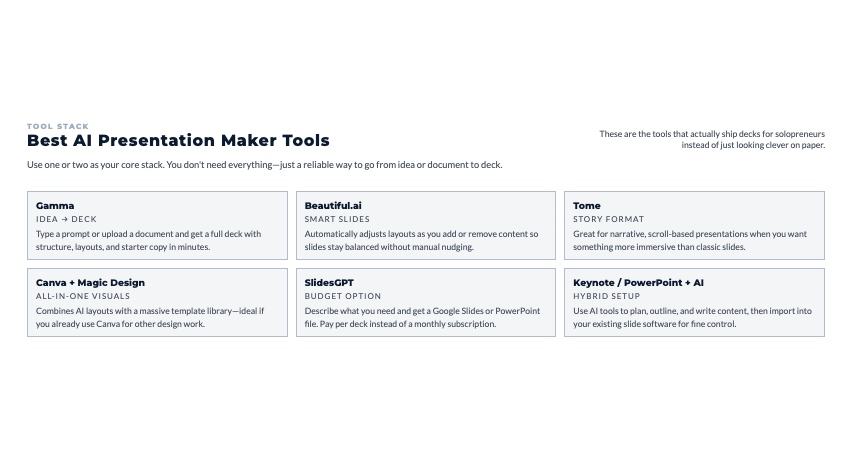
Gamma (Free tier, $10/month pro)
Gamma creates entire presentations from simple prompts or uploaded documents. It’s probably the most intuitive AI presentation tool available right now.
How it works: Type “Create a 10-slide investor pitch for a SaaS product that helps solopreneurs manage clients” and Gamma generates a complete deck with relevant sections, layouts, and placeholder content.
What’s included free:
- 400 AI credits (roughly 40 presentations)
- Basic templates and themes
- Collaboration features
- Export to PDF
When to upgrade ($10/month):
- You’re creating presentations weekly
- You need advanced customization
- You want priority AI generation
Best for: Solopreneurs who want the fastest path from idea to presentation.
Beautiful.ai ($12/month)
Beautiful.ai uses “smart slides” that automatically adjust layouts as you add or remove content. You don’t manually position elements. The AI handles spacing, alignment, and visual hierarchy.
Key feature: Change your mind about including three bullet points instead of five? The slide automatically reflows everything to look balanced. No manual adjusting required.
Best for: People who want their presentations to stay polished as they iterate and make changes.
Tome (Free tier, $20/month pro)
Tome positions itself as a storytelling platform more than a presentation tool. It creates immersive, scroll-based presentations that feel more like interactive websites.
Different approach: Instead of traditional slides, Tome creates flowing narrative pages. Good for thought leadership content, case studies, or situations where linear slides feel limiting.
When it makes sense: You’re presenting online (not in person) and want something more engaging than standard slides.
When to skip it: You need traditional slide decks for conferences or client meetings where standard format is expected.
Canva with Magic Design ($13/month for Pro)
Canva isn’t built specifically for presentations, but the AI features plus massive template library make it powerful for presentation creation.
Why it’s worth considering:
- You probably already use Canva for other design needs
- Magic Design generates presentation layouts from prompts
- Huge library of graphics, icons, and images
- Brand kit keeps everything on-brand
Best for: Solopreneurs already using Canva who want one platform for all visual content.
SlidesGPT (Pay per use, starts $3)
SlidesGPT is literally ChatGPT for presentations. You describe what you need, and it generates Google Slides or PowerPoint files.
Budget approach: No monthly subscription. Pay per presentation generated. If you only create presentations occasionally, this is the most cost-effective option.
Limitation: Less visual polish than dedicated tools. Better for internal presentations or situations where speed matters more than design sophistication.
Creating Presentations from Scratch with AI
The fastest way to go from idea to finished presentation is using AI generation. Here’s how to do it effectively.
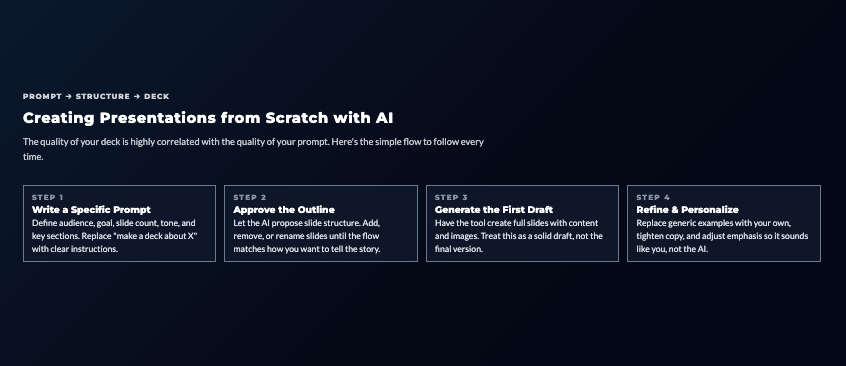
Prompt-Based Generation
The quality of your AI presentation depends heavily on how you describe what you need.
Bad prompt: “Create a presentation about email marketing”
Good prompt: “Create a 12-slide presentation for service-based solopreneurs explaining how to build an email list from scratch. Include: why email matters, lead magnet ideas, landing page basics, welcome sequence structure, and first campaign tips. Professional but approachable tone.”
The difference: specificity about audience, content structure, slide count, and tone.
Topic to Slides Workflow
Most AI presentation makers follow this basic workflow:
- You provide topic and key points
- AI suggests slide structure
- You approve or adjust structure
- AI generates complete slides with content and design
- You refine messaging and customize visuals
Total time: 15-30 minutes for a solid first draft.
Content Structure Automation
AI tools understand common presentation structures and apply them automatically:
- Problem-Solution: Sets up pain point, then introduces your solution
- Before-After: Shows transformation or results
- How-To: Step-by-step process explanations
- Pitch: Problem, solution, market, traction, ask
Tell the AI which structure fits your goal, and it builds the appropriate flow.
Automatic Image Sourcing
When understanding how AI presentation maker tools handle visuals, you’ll see they pull relevant images from stock libraries based on your content. You’re not searching for images manually.
Type “email marketing strategy” and the AI finds professional images related to emails, marketing, or strategy. Not perfect every time, but it gets you 80% of the way there in seconds instead of 30 minutes of manual searching.
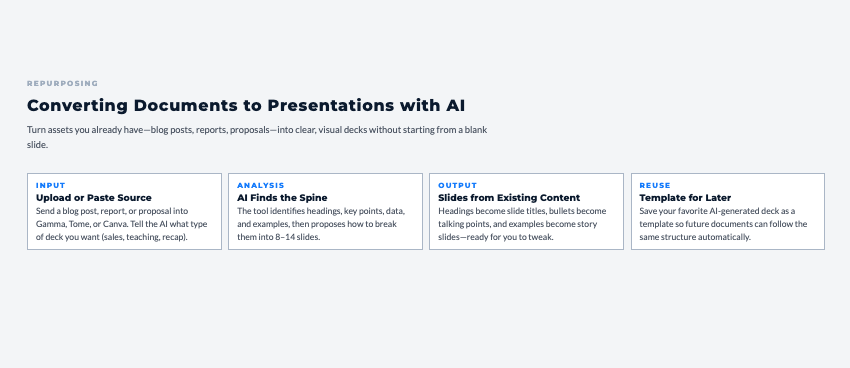
Converting Documents to Presentations with AI
You’ve already created the content. Blog posts, reports, proposals. AI can turn that written content into presentations without starting from scratch.
Document Upload Workflow
Most AI presentation tools let you upload documents (Word, PDF, Google Docs) and automatically generate slides from the content.
Typical process:
- Upload your document
- AI analyzes structure and extracts key points
- It suggests slide breakdown
- You approve or adjust
- Complete presentation generates in 2-3 minutes
This is clutch for repurposing content you’ve already created.
Blog Post to Presentation
A 2,000-word blog post becomes a 10-12 slide presentation. AI pulls:
- Main headings become slide titles
- Key points become bullets or visuals
- Examples become dedicated slides
- Conclusion becomes call-to-action
You’re maximizing the value of content you already spent time creating.
Report Transformation
Data reports are valuable but boring to read. AI transforms them into visual presentations that highlight key insights.
What typically happens: You spend hours creating a detailed report that clients skim for two minutes. Convert it to a presentation, and suddenly people actually absorb the insights because they’re visual and digestible.
AI Design and Layout Optimization
The magic of AI presentation tools isn’t just generating content. It’s making design decisions you’d otherwise struggle with.
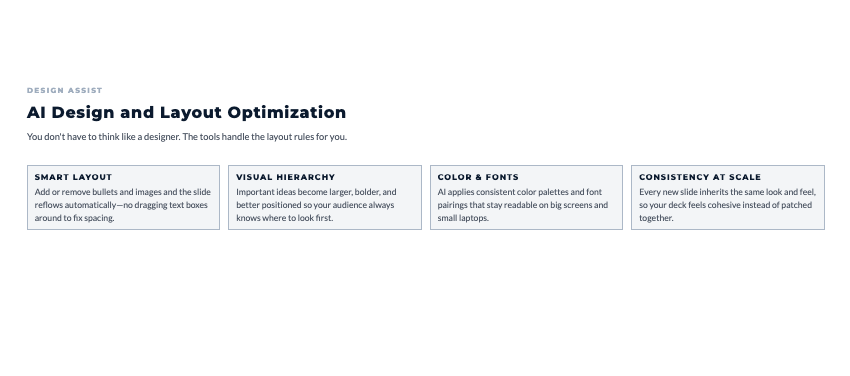
Smart Layout Adaptation
Add content to a slide and the AI automatically adjusts spacing, font sizes, and element positioning to maintain visual balance. You don’t manually resize text boxes or reposition images.
This matters most when you’re iterating. Change your mind about including a fifth bullet point? The slide reflows automatically without breaking the design.
Visual Hierarchy Creation
AI understands design principles about emphasis and readability. It automatically:
- Makes important text larger
- Uses color to highlight key points
- Positions elements so your eye follows logically
- Ensures nothing feels cramped or cluttered
You get good design without understanding design theory.
Color Scheme Generation
Tell the AI your brand colors or let it generate a palette, and every slide maintains consistency. No wondering “does this blue match that blue?”
For solopreneurs without brand guidelines, AI can generate professional color combinations based on your industry or preferences.
Font Pairing Intelligence
AI selects fonts that work together (heading font + body font) and are actually readable on screens. You’re not accidentally choosing fonts that look fine on your laptop but terrible when projected.
Sales and Pitch Deck Creation with AI
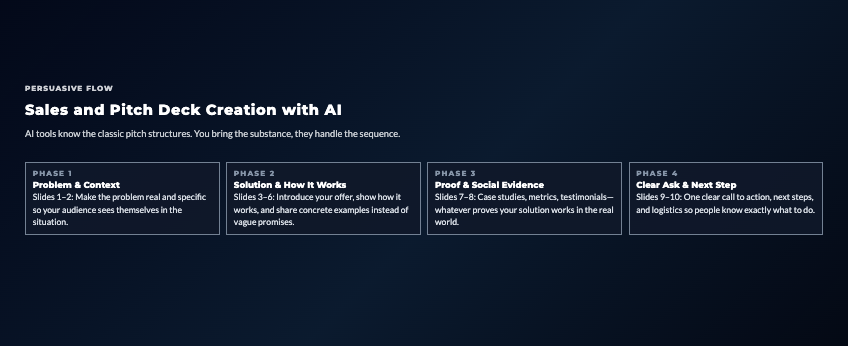
Sales presentations have specific requirements. AI tools designed for presentations understand these structures.
Investor Pitch Structure
AI presentation makers include templates built specifically for investor pitches:
- Problem slide
- Solution slide
- Market opportunity
- Product/service details
- Business model
- Traction and metrics
- Team
- Competition
- Financials
- Ask
You provide the content. The AI structures it in the format investors expect.
Problem-Solution Framework
This is the foundation of most good sales presentations. AI tools structure this automatically:
Slide 1-2: Establish the problem (make it real and relatable) Slide 3-4: Introduce your solution (clear and compelling) Slide 5-6: Show how it works (specific and credible) Slide 7-8: Prove it works (results and social proof) Slide 9-10: Make the ask (clear next steps)
You fill in your specific content. The AI builds the persuasive flow.
Traction and Metrics
Data slides are tricky. Too many numbers become overwhelming. Too few feel insubstantial. AI finds the balance, presenting key metrics in visually clear ways.
Charts, graphs, and data visualizations generate automatically from the numbers you provide.
Client Proposal and Service Presentations
Proposals as PDFs get boring. Convert them to presentations and suddenly they feel more dynamic and professional.
Service Overview Slides
AI helps you explain what you offer without overwhelming potential clients with details.
Typical structure AI generates:
- What you do (one clear sentence)
- Who you serve (specific audience)
- How you work (simplified process)
- What makes you different (unique approach)
- What clients get (outcomes, not features)
Five slides that clearly communicate your value without putting people to sleep.
Portfolio and Case Studies
Visual case studies are way more compelling than written ones. AI presentation tools structure:
- Client challenge
- Your approach
- Specific actions taken
- Results achieved
- Client testimonial
Each case study becomes 3-5 slides that tell a complete story.
Pricing Presentation
Communicating pricing visually often feels clearer than in written proposals. AI creates comparison tables, tiered options, and value breakdowns that help clients understand investment levels.
The key: making pricing feel transparent and justified, not just “here’s what I charge.”
Data Visualization and Report Presentations
Numbers in spreadsheets are hard to absorb. Numbers in visual presentations stick with people.
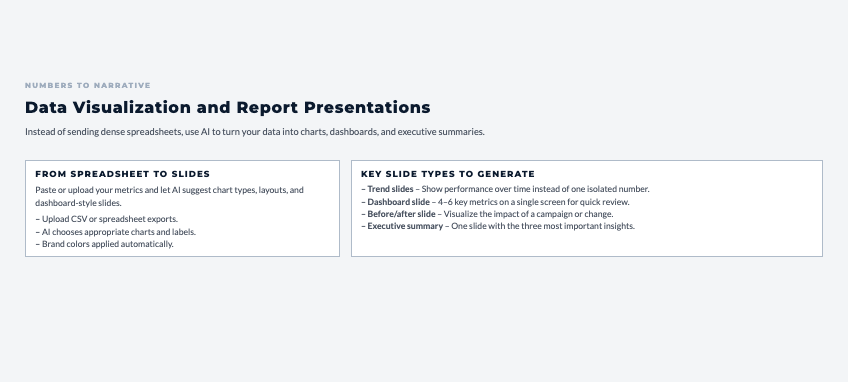
Chart Generation from Data
Paste spreadsheet data into AI presentation tools and they automatically:
- Determine the best chart type (bar, line, pie, etc.)
- Create visual representations
- Apply your brand colors
- Add clear labels and legends
You’re not manually building charts in Excel and copying them over.
Dashboard-Style Slides
For recurring reports (monthly metrics, quarterly performance), AI creates dashboard-style slides that present multiple data points clearly on one screen.
Imagine this common situation: You track five key metrics monthly. Instead of five separate slides or a dense spreadsheet, one dashboard slide shows everything at a glance with visual indicators for trends.
Executive Summary Slides
AI can analyze detailed data and pull the most important insights for summary slides. You’re not deciding what to highlight. The AI identifies what matters most based on the data patterns.
Customizing and Branding AI Presentations
AI-generated presentations are starting points, not finished products. Here’s how to make them yours.
Brand Color Integration
Upload your brand colors once, and AI applies them across all future presentations. Every slide uses your palette automatically.
For solopreneurs without formal brand colors, AI can generate palettes based on:
- Your industry (professional services get blues/grays, creative fields get bolder colors)
- Your preferences (warm vs. cool tones)
- Current design trends
Logo and Identity Placement
Your logo appears consistently across slides without manual placement each time. AI knows where logos typically go and applies yours automatically.
Template Creation
Once you’ve customized a presentation to match your brand perfectly, save it as a template. Future presentations start with your branding already applied.
This is huge for solopreneurs creating similar presentations regularly (sales decks, client reports, course materials).
Common AI Presentation Mistakes to Avoid
Even with AI doing heavy lifting, certain mistakes still happen. Here’s what to watch for based on patterns with solopreneurs using these tools.
Over-Relying on AI Design
AI generates good starting points, not perfect final products. The mistake: accepting everything the AI creates without adding personal touches that make the presentation uniquely yours.
The fix: Use AI for structure and initial design, then customize with:
- Your specific examples
- Your brand personality
- Your way of explaining concepts
- Images that specifically relate to your work
Content Overload
AI will include all the information you give it. Sometimes that’s too much per slide.
The rule: If a slide feels crowded, it probably is. Break dense slides into two slides. Your audience will thank you.
Generic Template Syndrome
Just because an AI template looks professional doesn’t mean it fits your specific situation. What works for a tech startup pitch might not work for a coaching service proposal.
The approach: Start with AI templates, but adjust to match your industry norms and audience expectations.
Ignoring Audience Needs
AI doesn’t know who you’re presenting to. It creates generic presentations. You need to customize based on:
- Audience technical knowledge (experts vs. beginners)
- Industry context (what examples resonate)
- Cultural considerations (formality level, visual preferences)
Neglecting Storytelling
Good slides without good narrative still fail. AI can structure your content logically, but you need to ensure:
- There’s a clear story arc
- Slides build on each other
- The presentation has momentum
- You end with clear takeaways
Design supports the story. It doesn’t replace it.
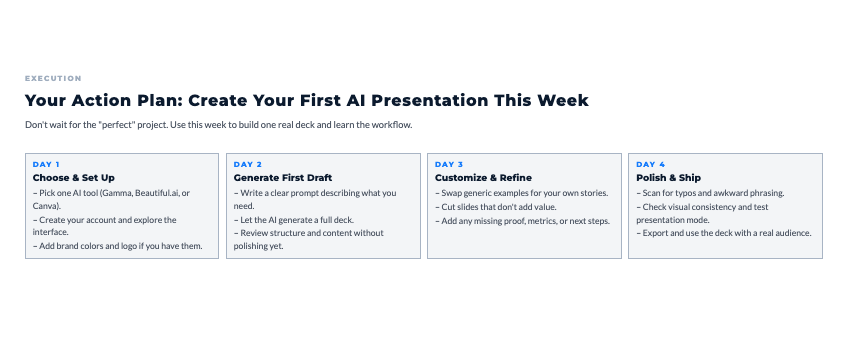
Your Action Plan: Create Your First AI Presentation This Week
Alright, you’ve got the full picture now. You understand why AI presentation makers matter, which tools deliver results, and how to use them without common mistakes.
This Week: Create One Presentation
Don’t wait until you “need” a presentation. Pick something you’ll actually use:
- Update an old sales deck
- Create a service overview for prospects
- Build a case study presentation
- Develop course material slides
- Make a client report visual
Day 1: Choose and Set Up (30 minutes)
- Pick one AI presentation tool (Gamma for beginners, Beautiful.ai for polish, Canva if you’re already using it)
- Create account and explore interface
- Upload brand colors and logo if you have them
Day 2: Generate First Draft (45 minutes)
- Write a clear prompt describing what you need
- Let AI generate the initial presentation
- Review structure and content
Day 3: Customize and Refine (60 minutes)
- Replace generic content with your specific examples
- Adjust slides that feel off
- Add any missing slides AI didn’t include
- Remove slides that don’t add value
Day 4: Polish and Finalize (30 minutes)
- Check for typos and errors
- Ensure visual consistency
- Test presentation mode
- Export in needed formats
Total time: 2-3 hours for a complete, professional presentation
Compare that to the 8-10 hours it would take manually, and you can see why this matters.
The Presentation That Matters Most
What’s the one presentation you need right now?
Not five presentations. Just one.
Maybe it’s:
- A sales pitch you’ve been putting off creating
- A client proposal sitting in Google Docs that should be visual
- Course materials you’ve been meaning to develop
- A case study proving your results
Pick that one presentation. Use an AI tool to create it this week. See how much faster the process is and how much more professional the result looks compared to what you’d create manually.
That’s how you learn what works for your specific needs and build confidence in using these tools.
Remember This
AI presentation makers don’t make you less skilled. They remove the design barrier that was preventing you from communicating your expertise effectively.
Your knowledge, your examples, your insights are what matter. AI just makes sure the visual packaging matches the quality of your thinking.
The solopreneurs presenting most effectively aren’t the ones with the best design skills. They’re the ones using AI to handle design so they can focus on message, delivery, and connecting with their audience.
As you streamline your creation process, use the Visibility Engine to build a rhythm that keeps your content consistent and aligned.
I created The Visibility Engine – a free guide with five tools that help you grow your presence without adding more to your plate.
👇 Enter your email below to get it sent to you.
It’s short, practical, and helps you create consistency without overwhelm.
Here’s My Question For You:
What’s the one presentation you’re gonna create with AI this week?
Not eventually. This week.
Pick your tool. Write your prompt. Generate your first draft. Customize it. Use it.
Then notice how much easier the whole process was compared to fighting with PowerPoint for hours. Notice how professional it looks without you having design training. Notice how much more time you had to actually prepare what you’re going to say.
That’s the shift. More time for the thinking that matters. Less time wrestling with design software.
Your future self, the one confidently presenting polished decks without the design stress, is gonna thank you for starting today.
Now go create something.